
How to connect
Follow these steps to set up Al-Ittisal Al-Amin on any device
Add access key
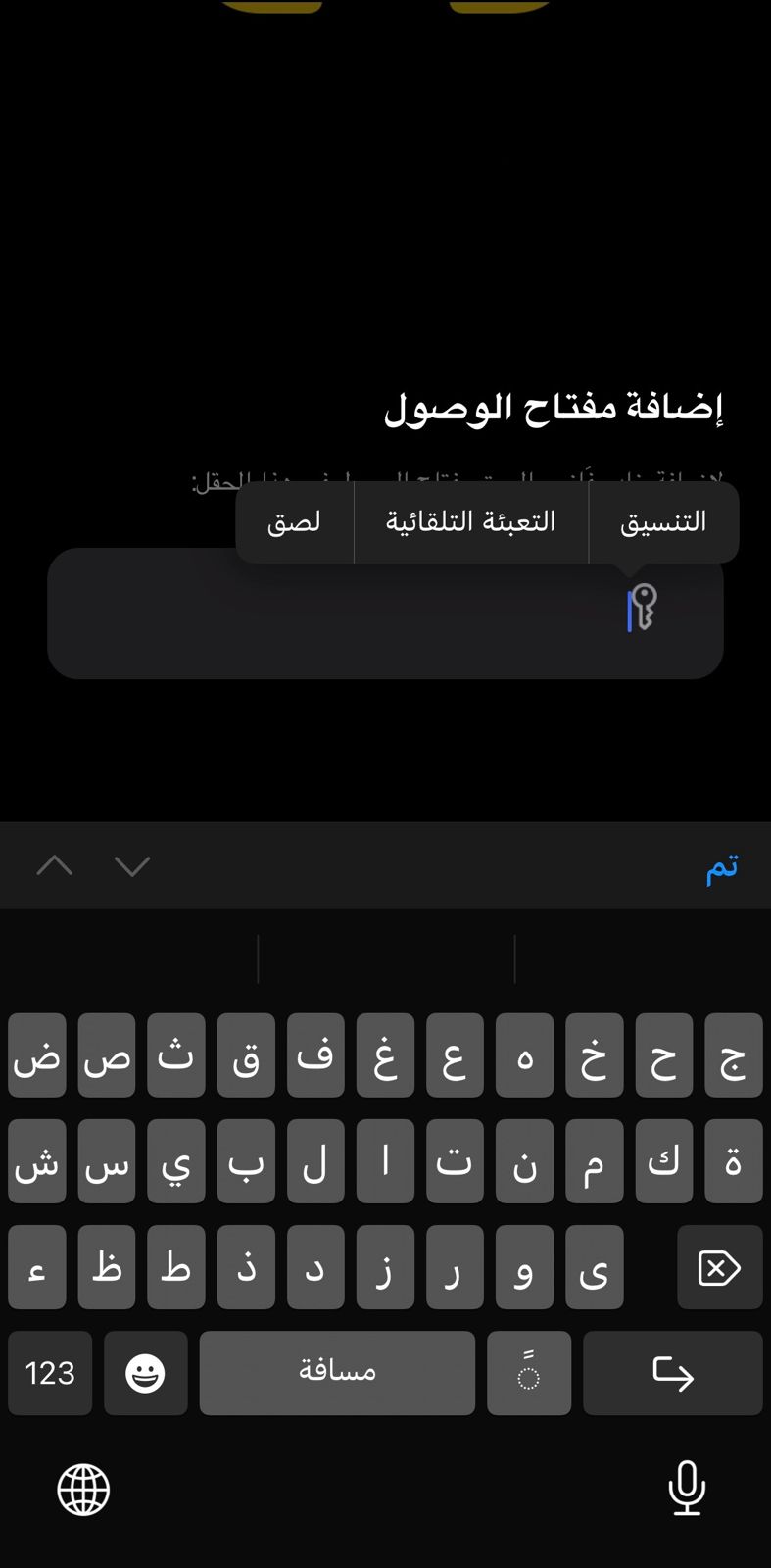
Step 1: Paste your key in this field
1. Paste access key
Server list
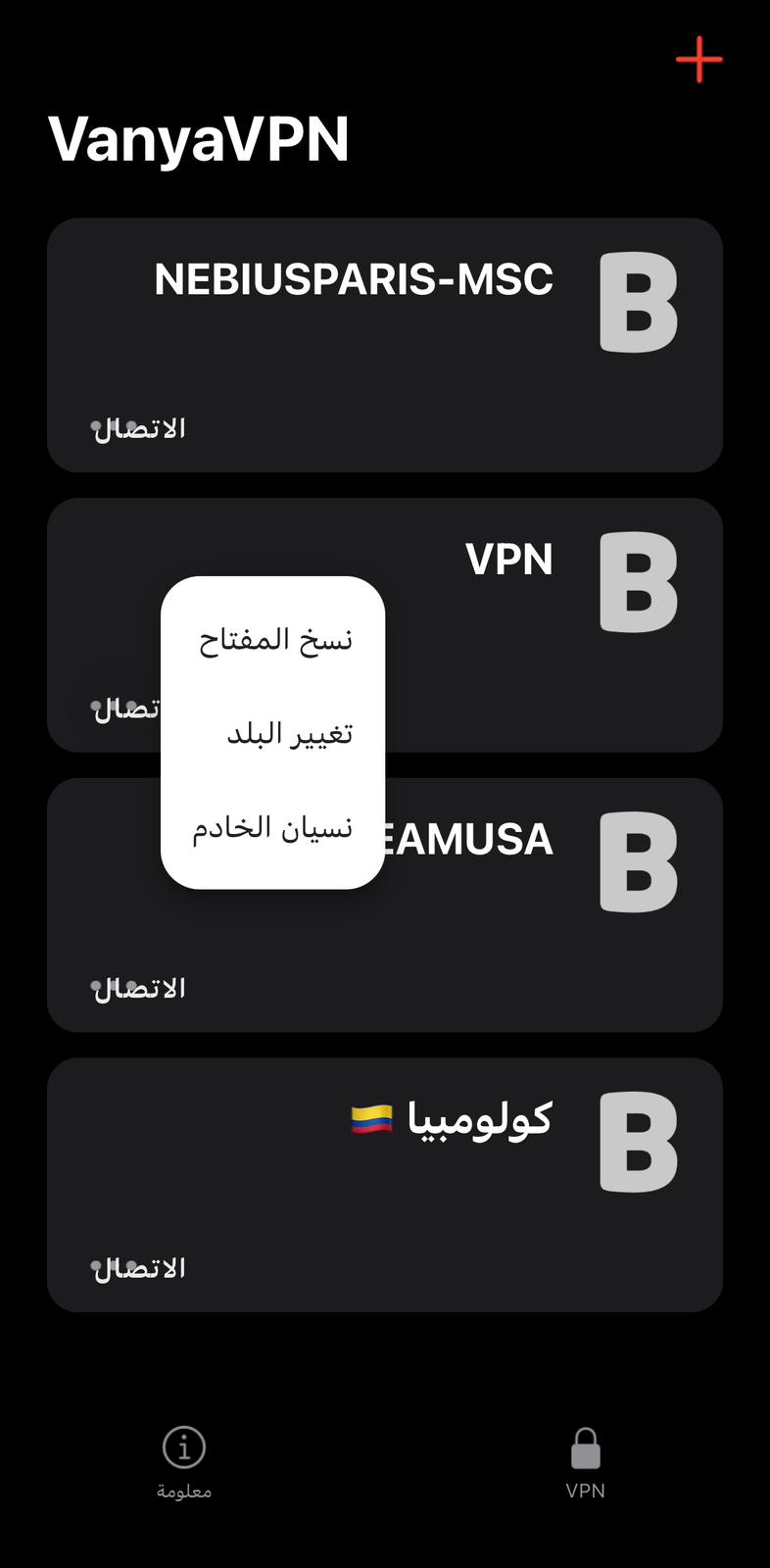
Step 2: Choose a server (الانتصار = high speed)
2. Select server
Change country
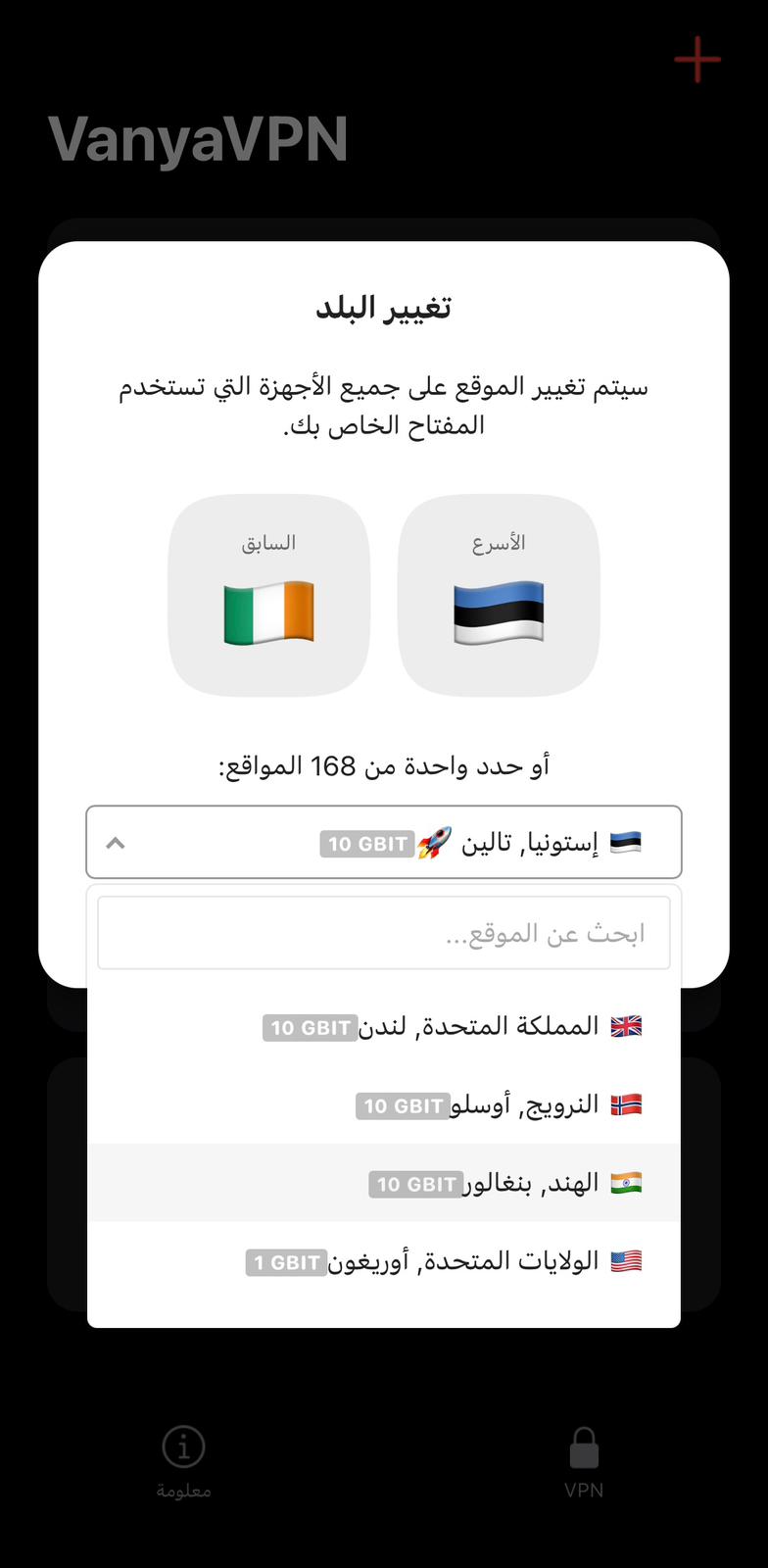
Step 3: Select from 168+ locations
3. Choose location
Detailed connection guide
1
Copy your access key
Go to the Main page and click on the key or use the QR code. The key looks like: ssconf://...
2
Open VPN
Download the app from iOS App Store or Google Play. Tap "Add key" (إضافة مفتاح الوصول) and paste your configuration.
3
Choose a server
Select from 168+ locations. Servers marked الانتصار are high-speed (10 Gbit). Click "Change country" (تغيير البلد) to switch.
Your current key:
ssconf://berezochka.ru/vanya/71febe66...
Need help?
Configure VPN on router or get instant support